Jake Archibald’s latest publication (from October 15, 2026) provides a massive, practical comparison between JPEG XL and AVIF for web use-cases, conducted now that JPEG XL is officially supported across all major browsers.
The biggest takeaway from the analysis is that despite all the hype surrounding JPEG XL, AVIF remains the better default choice for the web across almost all categories.
The Main Verdict (TL;DR)
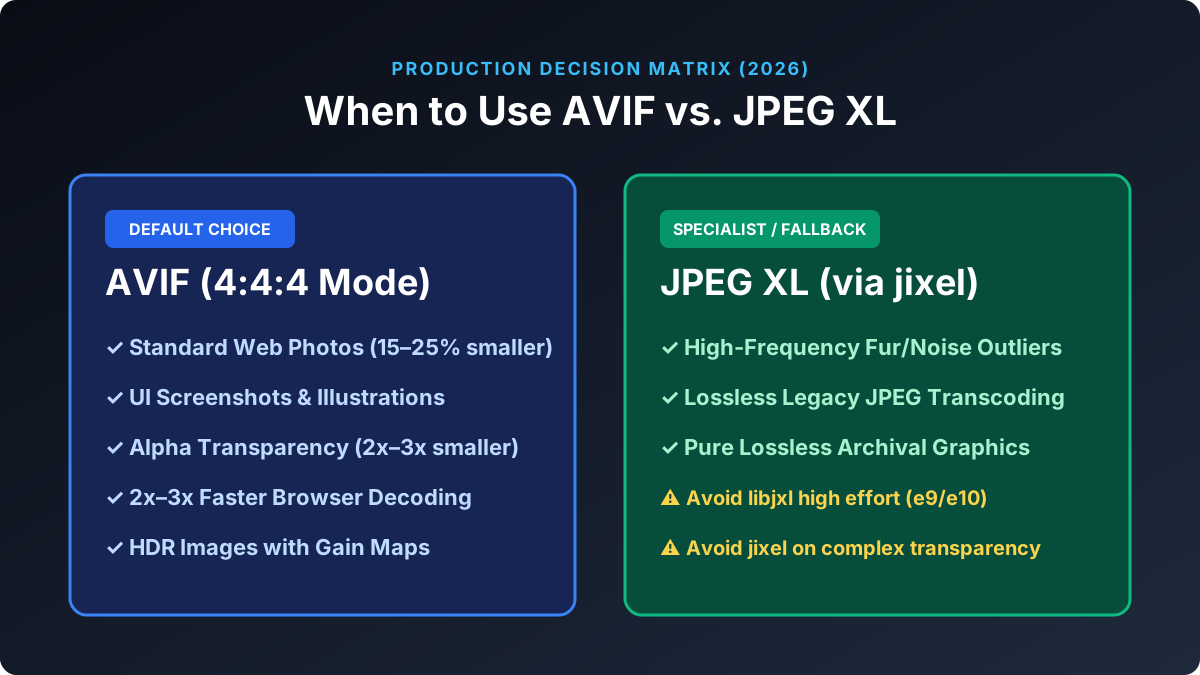
If you have to choose a single format for the web today, the author’s recommendation is: AVIF in 4:4:4 mode at the highest compression effort your server or build pipeline can handle. JPEG XL (specifically via the new jixel encoder) is only worth trying as a fallback option if AVIF produces an unusually large file for a specific outlier image.
Category-by-Category Comparison
| Category | Winner | Key Findings & Benchmark Numbers |
|---|---|---|
| Lossy Photos | AVIF | At default settings, JPEG XL is 15–25% larger than AVIF for the same visual quality. At maximum effort, the gap narrows to 6–20%, still in favor of AVIF. |
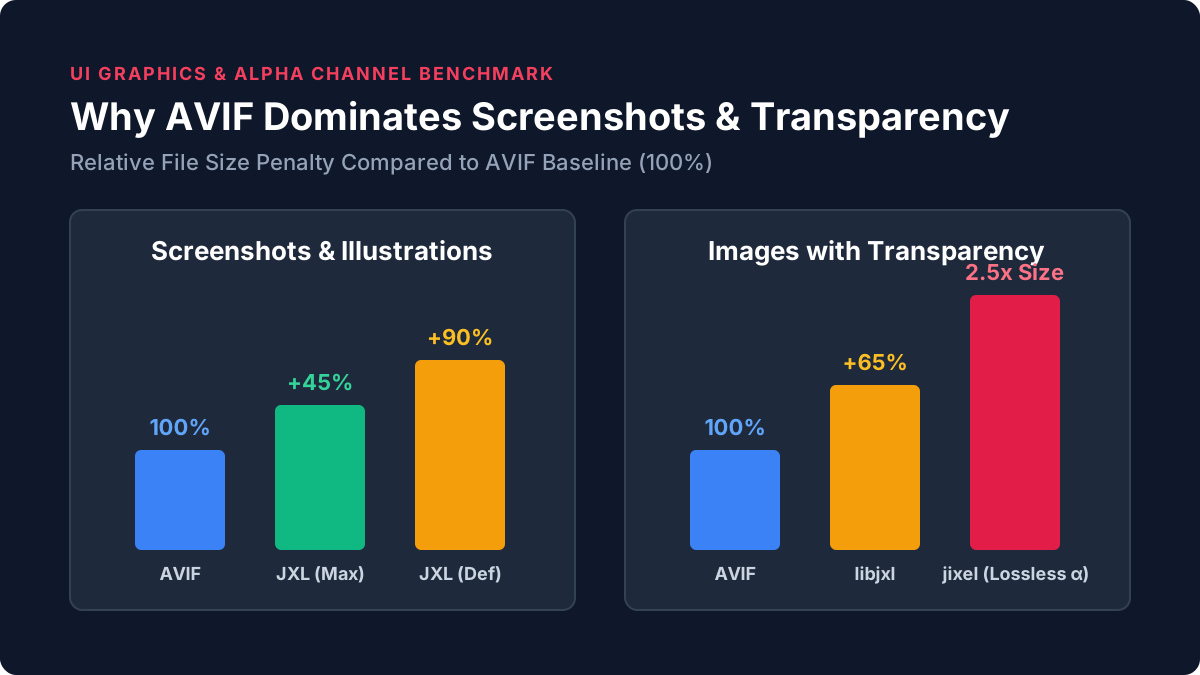
| Screenshots & Illustrations | AVIF (Decisively) | JPEG XL files are 30–90% larger at default effort settings (and 20–70% larger at maximum effort). Lossy AVIF handles these exceptionally well. |
| Transparency (Alpha) | AVIF (Decisively) | With libjxl, files are 31–70% larger. Meanwhile, the newer jixel encoder only encodes transparency losslessly, making its files 2x to 3x larger than AVIF. |
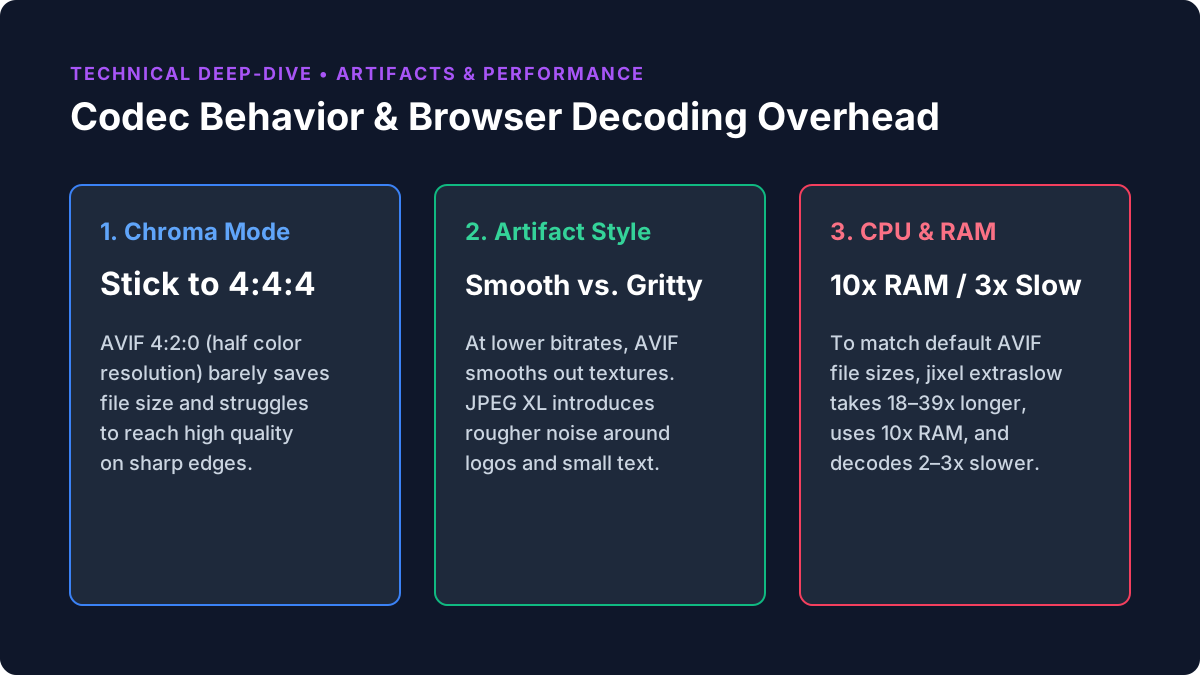
| Browser Decoding Speed | AVIF | At medium quality, JPEG XL decodes 2–3x slower than AVIF (with Safari being the slowest). The gap only narrows at very high quality settings. |
| Encoding Speed & RAM | AVIF | When factoring in the final file size, AVIF is faster and uses less memory. To match the file size of default AVIF, jixel has to run on extraslow, which takes 18–39x longer and uses ~10x more RAM. |
| Lossless Images | JPEG XL | The clear winner here. Lossless WebP is 9–17% larger for photos, and Lossless AVIF is a massive 30–120% larger. (However, Archibald reminds us that you rarely need pure lossless on the web). |
| Legacy JPEG Files | JPEG XL | JPEG XL’s unique ability to transcode existing JPEG files without further quality loss reduces their size by 9–20%. |
5 Important Technical Details from the Article
- The JPEG XL Encoder Matters Immensely (
jixelvs.libjxl):
The emergence of the newjixelencoder is a game-changer for JPEG XL. It almost always produces smaller files and runs faster than the official reference encoderlibjxl(except when handling detailed transparency). Withlibjxl, high effort settings are pointless—they take up to 18x longer, consume massive amounts of RAM, and sometimes even make the resulting file larger. - Forget About AVIF 4:2:0 as a Default:
Many tools default to4:2:0(half color resolution / chroma subsampling) for AVIF. Benchmarks show that this barely reduces file size while making it much harder to reach high visual quality. The recommendation is to stick with AVIF 4:4:4. - Progressive Rendering:
• With JPEG XL (viajixelat maximum effort), progressive rendering is essentially free in terms of file size, though at default settings it adds ~12% overhead. It works in Chrome and Firefox, while Safari waits and renders only the final image.
• AVIF also supports progressive rendering (currently in Chrome, in progress for Firefox). It is more complex to configure, but it gives you much more control over what the preview looks like, yields smaller files, and decodes much faster. - HDR and Gain Maps:
A major limitation of JPEG XL right now is the lack of gain map support in browser decoders (which allows an HDR photo to look great on standard SDR screens as well). In AVIF, this works great. For pure non-gain-mapped HDR content, however, JPEG XL produces smaller files. - Differences in Visual Artifacts:
At lower quality settings, the two formats lose detail in different ways: AVIF tends to smooth out textures, whereas JPEG XL introduces rougher noise and gritty patterns around high-contrast elements (such as text or logos).
Original Research & Interactive Benchmarks: Read the full deep-dive and test the interactive image sliders directly on Jake Archibald’s blog: JPEG XL vs AVIF for web use-cases.