
1. Introduction: Why M1 Max is Ideal for Local Models
Apple Silicon computers, specifically the M1 Max with 64GB RAM, offer a unique advantage for running Large Language Models (LLMs) due to their Unified Memory architecture.
Unlike traditional PCs with discrete graphics cards, the M1 Max CPU and GPU read directly from the same memory pool, eliminating data copy latency. Furthermore, the M1 Max boasts a massive memory bandwidth of 400 GB/s, making it exceptionally fast at token generation. This allows software developers to use AI assistants with 100% data privacy, as confidential code never leaves the machine.


2. Essential Software for Deployment
To run models locally, you need software that acts as a server:
- LM Studio: A highly recommended GUI tool that functions as a local server and utilizes the MLX backend, specifically designed for Apple chips.
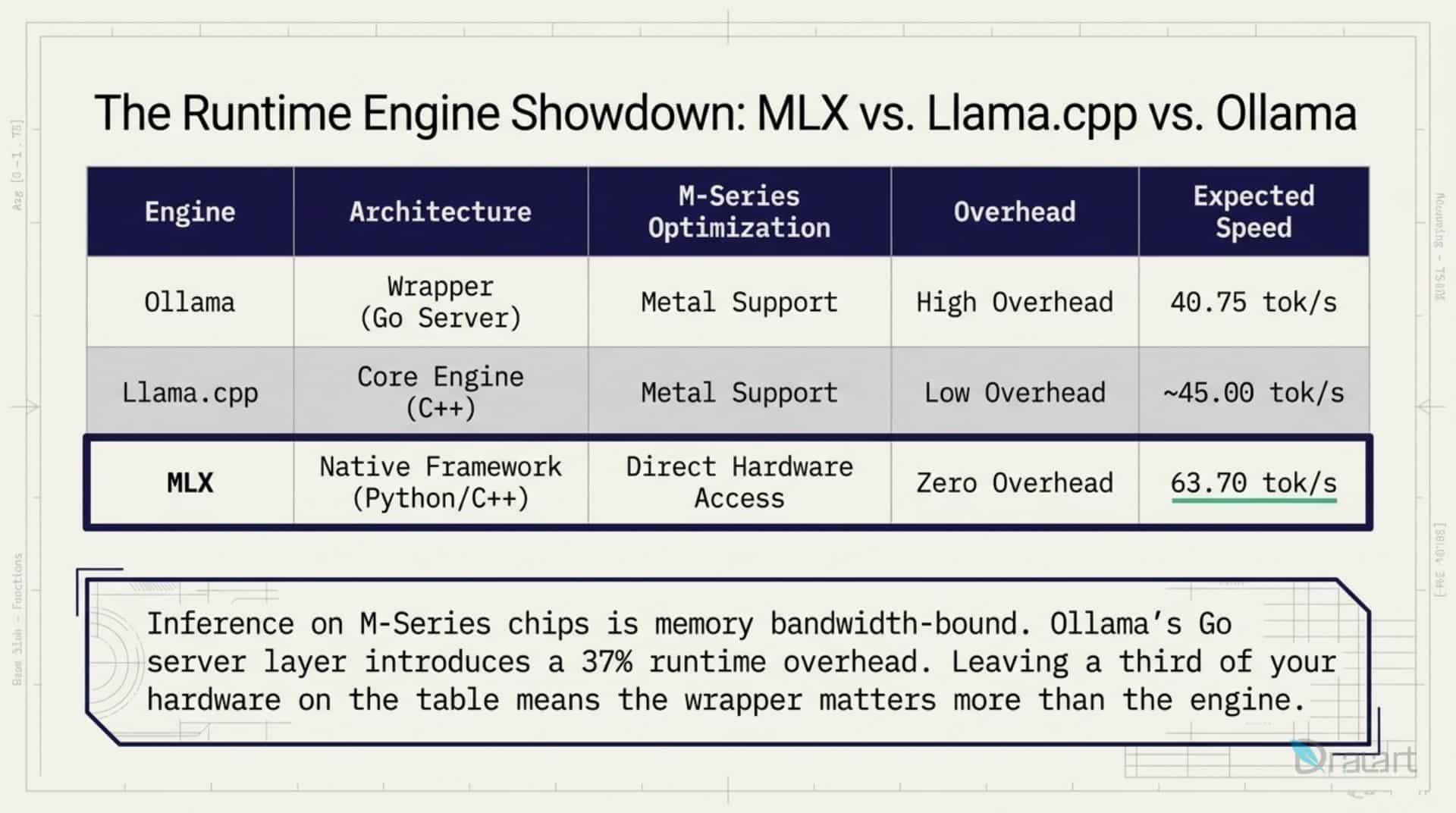
- Ollama: A popular tool that has also transitioned to the MLX framework. This update allows models to load directly into the GPU and can double the text generation speed (decode speed) on Mac computers.
3. Recommended Models for M1 Max (64GB RAM)
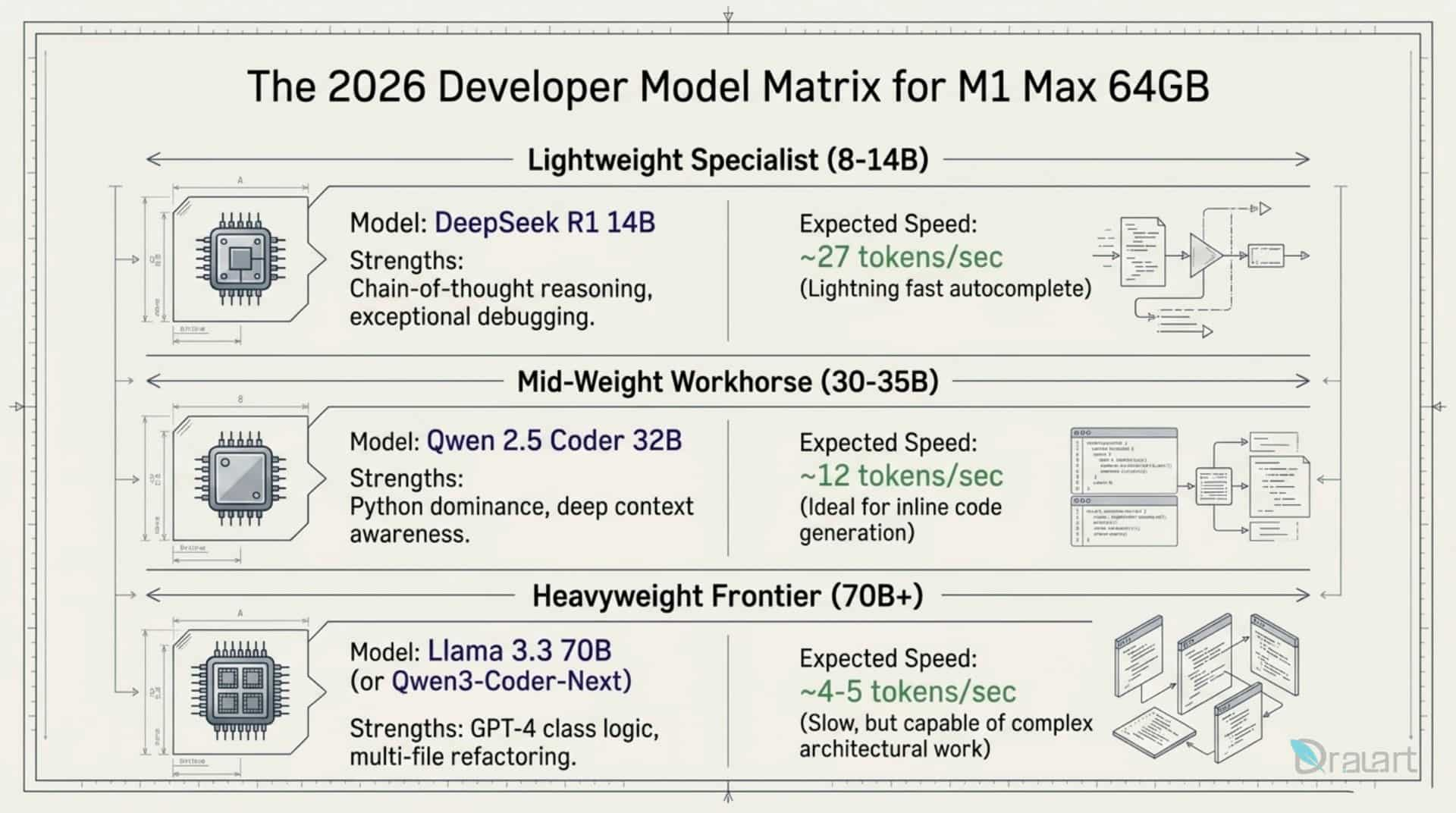
With 64GB of RAM, you can run powerful, coding-focused models:
- Gemma 4 31B MLX: The flagship model for this configuration, optimized specifically for Apple hardware. It supports massive context windows (128K to 256K tokens) and runs at 23-28 tokens per second on M1 Max.
- Qwen 3.6 27B / Qwen 2.5 Coder: These are considered among the best local models for coding, fitting perfectly within 64GB RAM and achieving results competitive with much larger models.
- Llama 3.1 70B: An extremely powerful model for complex architecture and logic, occupying approximately 40GB of memory in compressed form.
- DeepSeek-Coder-V2-Lite 16B: Excellent for rapid code generation, occupying only about 12GB of memory.
4. Usage Guidelines: Hardware Specifics and Optimization
Quantization
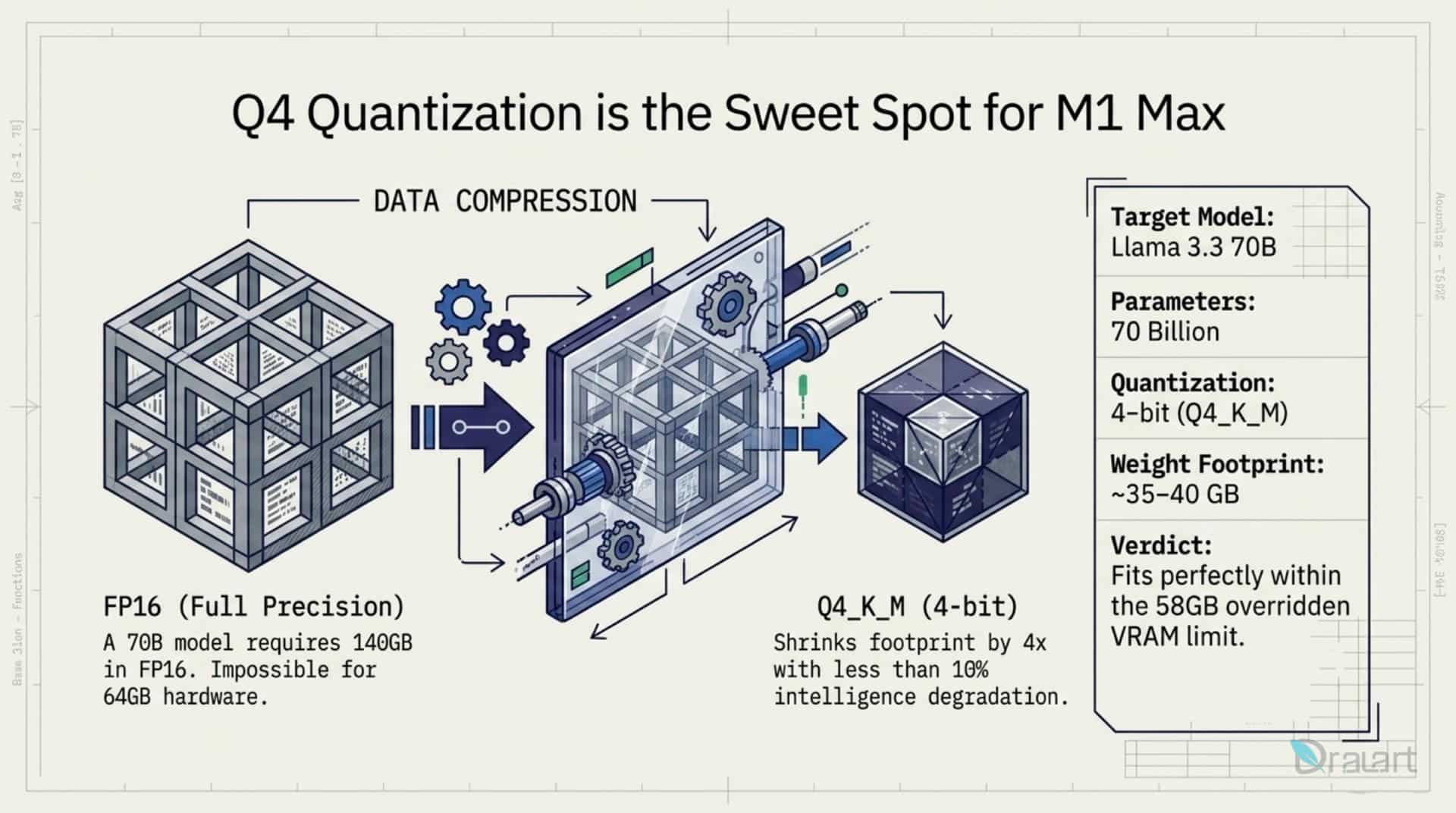
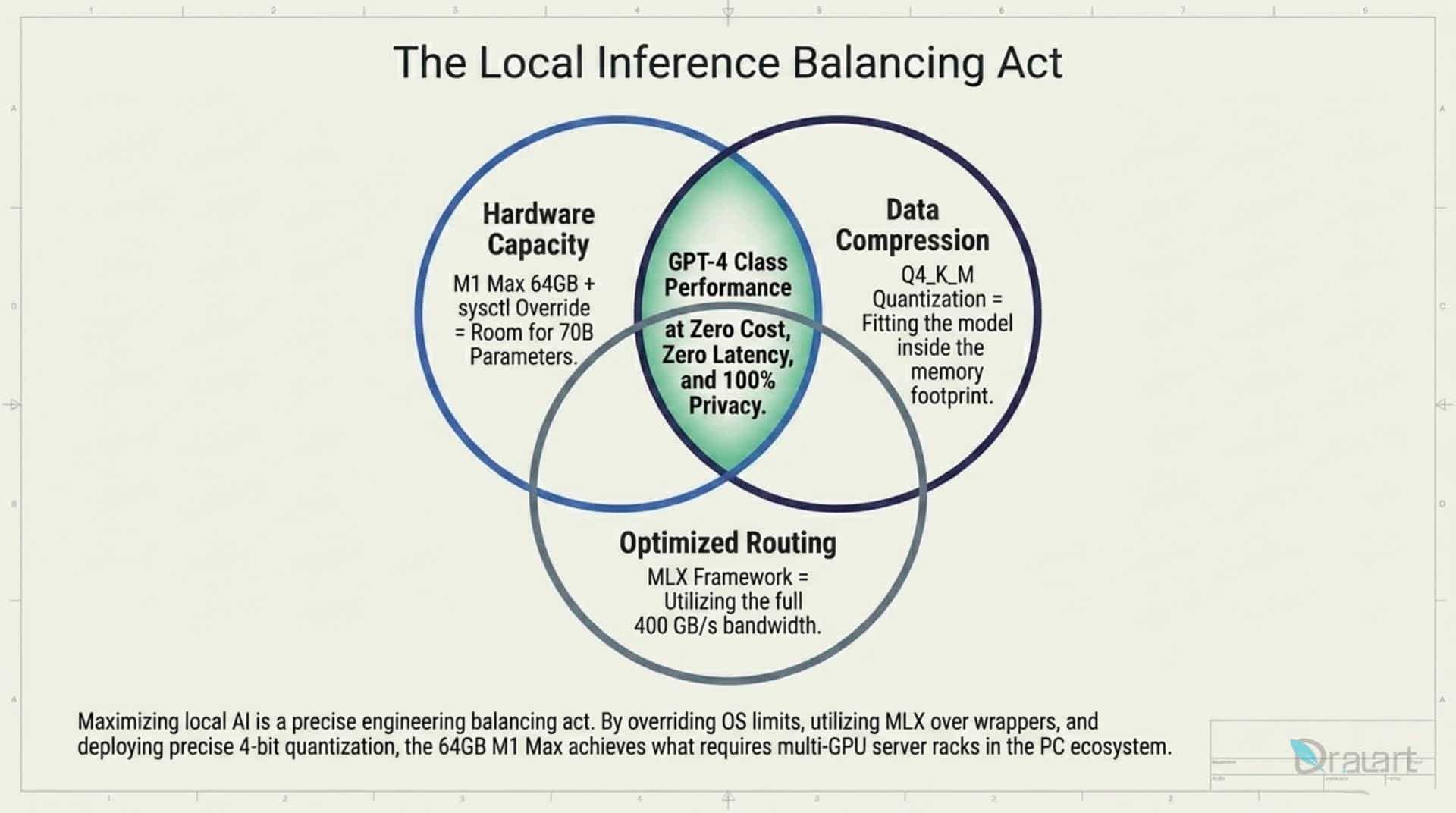
Always download quantized models. Never attempt to load a model in its full resolution (16-bit). Look for 4-bit quantization formats (such as Q4_K_M). Quantization compresses the model 4x, keeping quality almost intact while drastically accelerating performance and saving memory.
Overcoming the 75% VRAM Limit
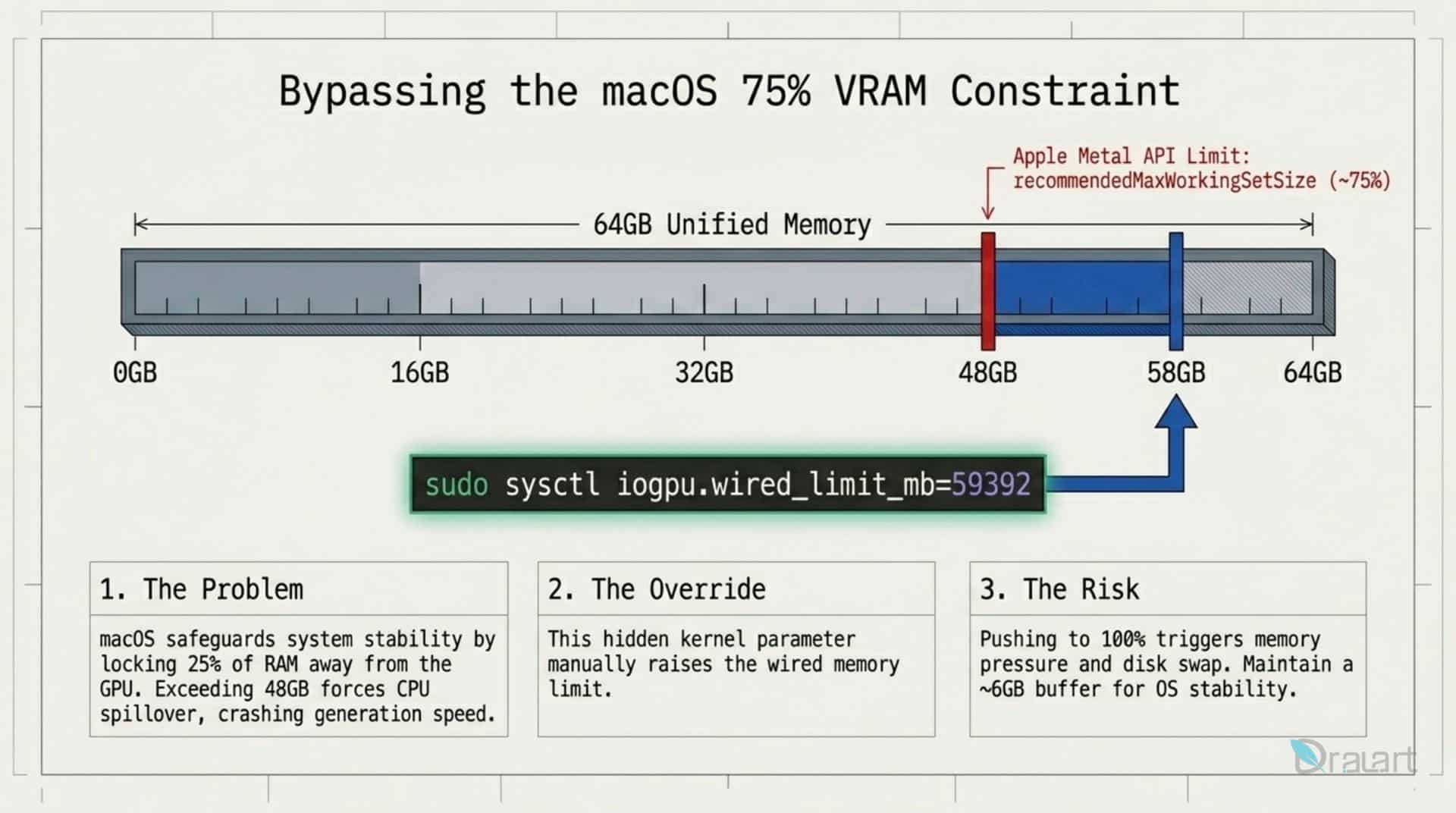
By default, macOS limits the GPU to using only about 75% of the total RAM. For a 64GB machine, this means a limit of approximately 48GB for AI models. You can unlock more memory via the Terminal:
sudo sysctl iogpu.wired_limit_mb=57344This command allows the GPU to use 56GB of memory. Always leave at least 8GB free for macOS; otherwise, the system may overload and lead to a hard lockup.
Context Management (KV Cache)
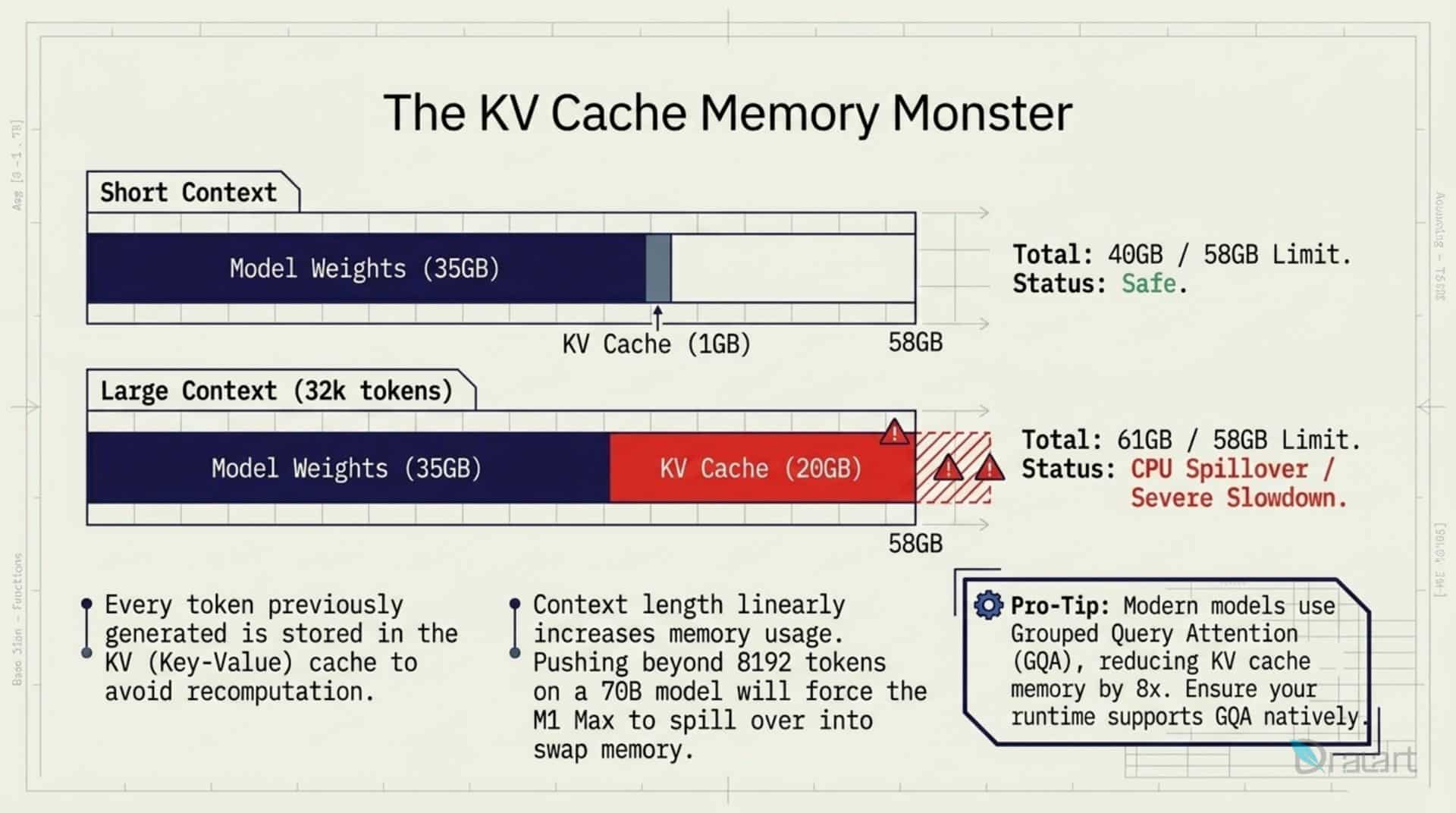
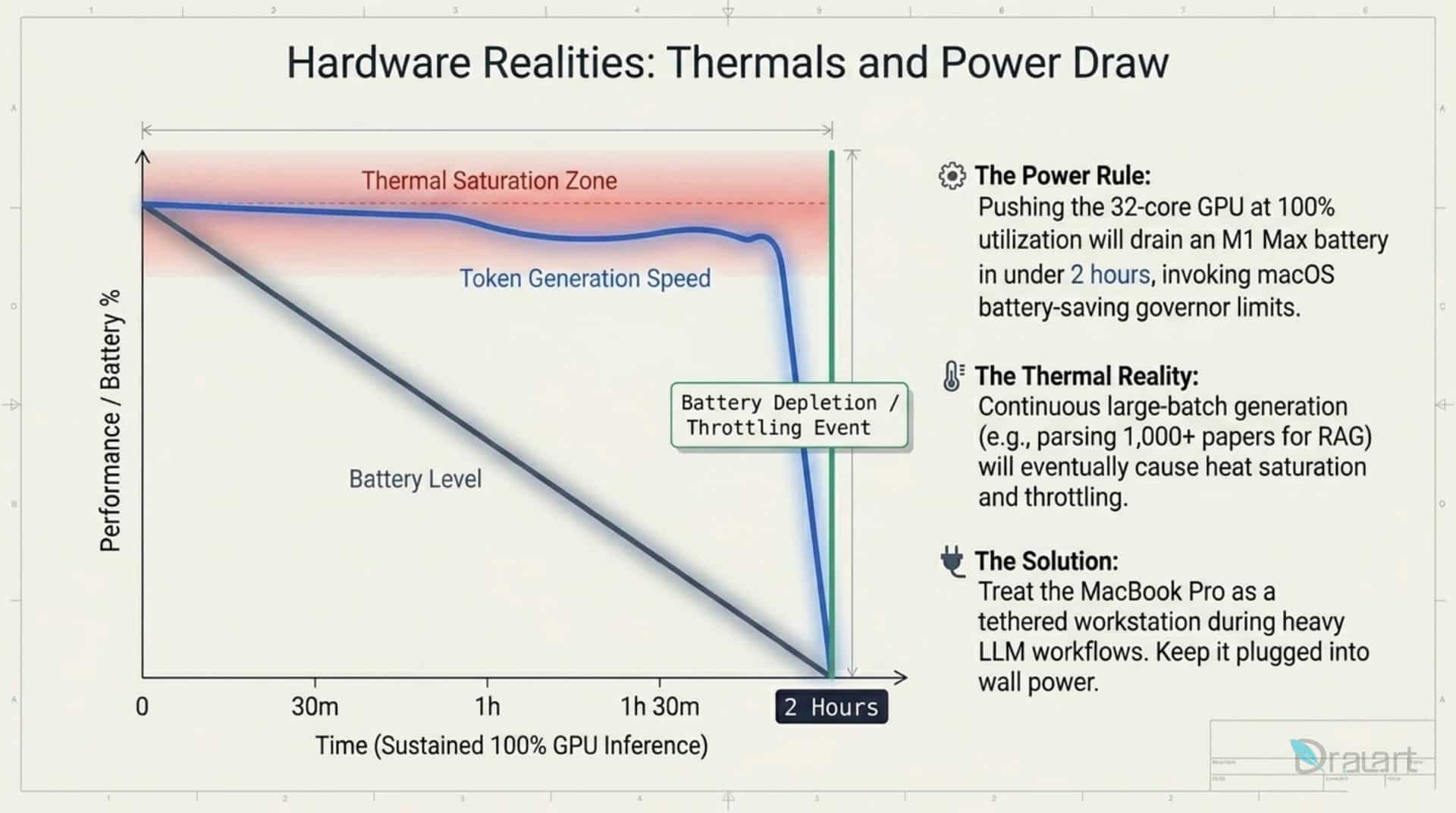
The more code files you provide (longer context), the more memory is consumed linearly for the KV Cache. With 64GB RAM, you can allocate up to 40GB specifically for context. If you exceed the system memory limit, the computer will switch to the slow CPU, severely degrading performance.
Thermal Control
LLMs put a heavy load on the system. Monitor temperatures during long programming sessions to avoid thermal throttling (performance slowdown due to overheating).

5. IDE Integration (Cursor and Antigravity)
To apply local models in daily development, they can be integrated directly into code editors:
- Local Server: Start a server in LM Studio using the MLX backend for maximum speed.
- Connection: In the AI assistant settings of Cursor or Antigravity, change the configuration to send requests to your local server address (e.g.,
http://localhost:1234) instead of cloud services. - MCP (Model Context Protocol): Use the Superpower tool. It acts as a bridge, allowing the model via the MCP protocol to access local project files. This helps the AI assistant “understand” the entire project architecture.
- Reasoning Mode: For complex software tasks, use system instructions to force the model into “Reasoning Mode” (thinking step-by-step).
6. Conclusion
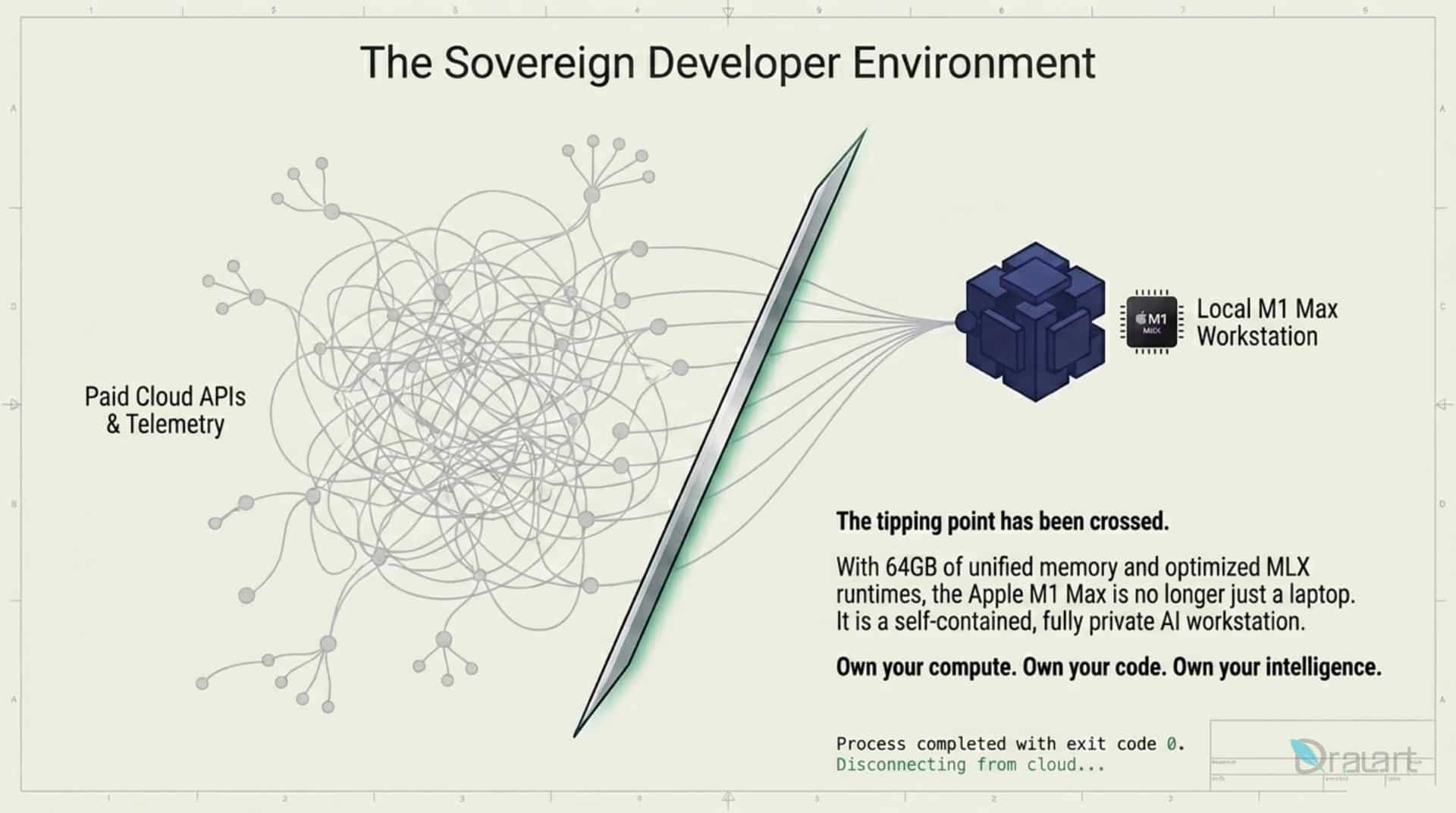
With the right setup on a 64GB M1 Max—utilizing 4-bit quantization, unlocking additional VRAM via sysctl, and running models through the MLX infrastructure—you create an incredibly fast and independent work environment. Integrating these local models with Cursor and Antigravity, supported by MCP and Superpower, ensures that writing and refactoring complex code remains local, private, and free of subscription fees.
FAQ section
-
The M1 Max offers a unified memory architecture with 400 GB/s bandwidth. With 64GB of RAM, developers can load large models like Gemma 4 (31B) or Qwen 3.6 (27B) with high precision while leaving enough room for a massive KV Cache, enabling the processing of entire code repositories locally.
-
By default, macOS restricts the GPU to using roughly 75% of the total system RAM. By using the command
sudo sysctl iogpu.wired_limit_mb=57344, you manually override this limit, allowing the GPU to access up to 56GB of the 64GB available. This is crucial for running 70B parameter models or maintaining long context windows. -
MLX is a library specifically designed by Apple’s AI research team for Apple Silicon. Unlike GGUF, which is a more general format, MLX utilizes Metal Performance Shaders more efficiently, often resulting in a 30-50% increase in token generation speed and significantly faster context processing.
-
Yes, but you will need higher quantization levels (e.g., 3-bit or 4-bit) and smaller context windows. For professional development where you need to feed multiple files into the AI, 64GB is the recommended baseline to avoid “memory swapping,” which drastically slows down the system.
-
Absolutely. This is the primary advantage of local LLMs. When using LM Studio or Ollama as a local server, 100% of the data processing happens on your machine. No data is sent to the cloud, making it the most secure way to use AI assistants for confidential software development.
-
You can use LM Studio to host a local Inference Server (typically at
http://localhost:1234). Then, using tools like Antigravity or Superpower (via MCP), you point your IDE’s AI settings to your local endpoint. This allows the local model to act as the primary brain for your coding environment.